What is the fastest way to get notified when the iPhone Duo is in stock?
An automated tracker with push: PickupChecker asks your stores every 5 seconds, the fastest published interval of any iPhone stock tracker we know of (the others publish 8 seconds to 15 minutes), and your phone hears about a confirmed restock about 3 seconds later.
How fast does an iPhone Duo restock disappear?
Half within 91 seconds over the last 7 days (6,032 sold-out Duo restocks, 16% within 30 s); since October 29, 2026, 73% of 3,197 US Duo restocks were gone within 2 minutes.
How this is measured
- A tracker checking every 5 or 15 minutesA push about 3 s after confirmationA restock historian, not an alert: it misses 55% of Duo restocks outright at 5 minutes and 74% at 15.
- Refreshing apple.com by handYour stores asked every 5 secondsChecking every few minutes mostly finds nothing; the listing came and went between two reloads.

How do PickupChecker alerts work?
Your stores are asked every 5 seconds and every other US Apple Store every 15; a first "available" is asked again about a second later, and once two answers agree a push reaches your phone about 3 seconds after the restock.
- 1Checkyour stores asked for your exact configuration every 5 seconds; every other US Apple Store every 15
- 2Confirmthe first "available" is asked again about a second later; a restock counts only when both agree
- 3Pushabout 3 seconds after confirmation, to the PickupChecker app on your Home Screen (install), naming store and configuration; no device → an email from alerts@pickupchecker.com
- 4Onceone push per restock: nothing while it stays listed, nothing for sell-outs or a store's first sighting
| What one alert is | Detail |
|---|---|
| Scope | one Apple Store × one exact configuration (model, storage, color) |
| Confirmation | two matching answers from apple.com, about 1 second apart |
| Delivery | push about 3 seconds after confirmation; email when no device is set up |
| Coverage | 269 US Apple Stores, plus 199 stores in 18 other countries |
Source: PickupChecker's poller; the two-answer rule is described on how it works
- On iPhone the notification is a web push to a Home Screen web app, supported in Safari (Apple Developer)
- Nothing to download · one permission prompt
- Read the store name in the banner, then reserve
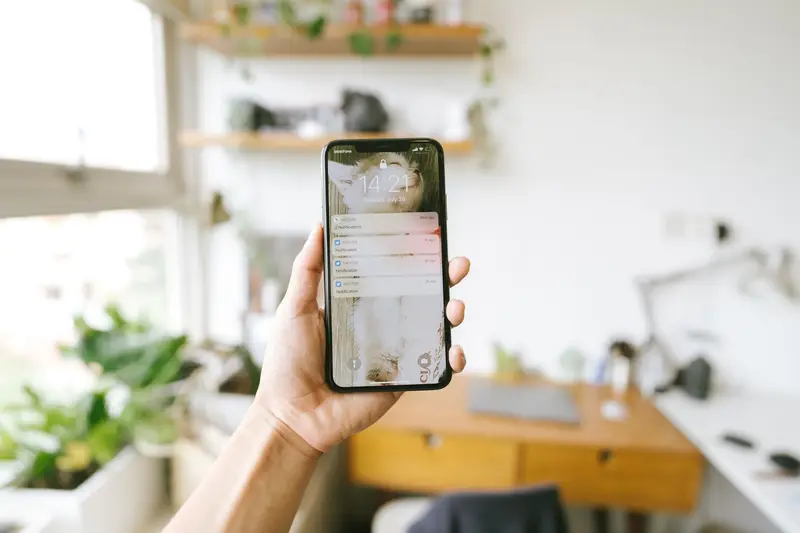
How does it compare with other iPhone stock trackers?
By published check interval, PickupChecker's 5 seconds is the shortest we know of; the other trackers publish 8 seconds to 15 minutes, and we compare published numbers only.
| Tracker | Check interval, as published on their own sites, November 2026 | Push delay, as claimed |
|---|---|---|
| PickupChecker | every 5 seconds for stores with alerts; every 15 seconds for all 269 US stores | about 3 seconds after a confirmed restock |
| InStock Radar | an 8-second interval for stores a paid alert points at; "every few minutes" for new models elsewhere | median 2 seconds (their claim) |
| Store Stock Checker | a 15-second check of "your Apple Stores", up to 5 stores per plan | about 2 seconds (their claim) |
| iPhoneStockChecker.com | once a minute (as reported) | not published |
| ManzanaTracker | roughly 5-minute checks | not published |
| Apple Inventory Check | a 15-minute cadence | not published |
Source: each tracker's own website, read in November 2026; PickupChecker's figures from its poller
- The interval is the one number worth comparing: every tracker controls it
- "Fastest" without an interval is marketing
- Ours is 5 seconds; hold us to it
How do I set up an iPhone Duo alert?
Four steps, about two minutes: pick the iPhone, storage and color; tick the stores you can reach; on iPhone add PickupChecker to your Home Screen; reserve on apple.com from the push.
- 1Pick the iPhone, storage and colorone alert is one exact configuration; two acceptable colors are two alerts
- 2Tick the stores you can reachnearest first, with an estimated drive time
- 3Add PickupChecker to your Home Screenon iPhone, then allow notifications (step by step)
- 4Reserve from the pushopen apple.com from it and check out with in-store pickup at the store it names
Which stores should I pick?
The two or three you can reach by 9 AM, plus the ones that restock most.
- A store you cannot reach in the morning is a weaker pick than a farther one you can
What does it cost?
Browsing is free; alerts are $5 a month for 10 (Plus), $10 for 20 (Pro) or $20 for 50 (Max), one alert being one store × one exact configuration.
- 10 alerts = one configuration at 10 stores, or two at five: most people in one metro area
- Pro and Max: several colors, several people or a long drive radius
- Every plan: the same 5-second checks and ~3-second push · live stock and the restock log are free to browse
What should I do the moment the alert arrives?
Tap it, choose "I'll pick it up" at the store it names and pay with Apple Pay while already signed in: you have about 80–100 seconds in the typical case, and the people who get the phone did their setup before the alert came.
- 1Be signed in before the alertApple Pay or a card and your address saved; typing an address during a restock is how people lose it
- 2Tap → "I'll pick it up"at the store named; if it already reads unavailable, try your other stores: a batch often reaches several at once
- 3Finish checkoutthe reservation is the order; Apple emails when it is ready and states the pickup window
- 4Bring what Apple asks forthe order number or QR code from the pickup email and a government-issued photo ID (Apple: Shipping & Pickup help)
Questions
Do alerts work on iPhone without an app from the App Store?
Yes: add PickupChecker to your Home Screen from Safari and allow notifications once, a web app with web push that Apple supports for Home Screen web apps (Apple Developer; install guide). Without a device set up, alerts arrive by email from alerts@pickupchecker.com.
How many alerts do I need?
Usually 10 or fewer: one configuration at the stores you can reach, two acceptable colors being two alerts per store. Plus covers 10, Pro 20, Max 50 (pricing).
Can PickupChecker reserve the phone for me?
No: it tells you within seconds that a store lists your configuration, and you reserve on apple.com with in-store pickup, where Apple holds it for you. PickupChecker is independent and not affiliated with Apple; it reads the same pickup availability anyone can see on apple.com, just far more often.
Why every 5 seconds and not every second?
Because apple.com answers a limited number of requests from one address, and every restock must be confirmed by a second answer about a second later, which asking every second would not shorten and would risk getting no answers at all. At 5 seconds the longest wait between a restock and our first look is 5 seconds, against a median listing of 91.
Sources
- PickupChecker live tracker: every iPhone Duo, 18 Pro and 18 Pro Max configuration at 468 Apple Stores in 19 countries, checked every 15 seconds (every 5 for stores with alerts) since 2026-10-29; numbers on this page as of Nov 5, 7:13 PM ET.
- Apple: Delivery and Pickup (how in-store pickup works)
- Apple: Shipping & Pickup help (what to bring to a pickup)
- Apple Developer: Sending web push notifications in web apps and browsers
- Wikipedia: Push technology (what a push notification is)